Overview
JDirectItems Auction works differently from fixed-price shopping.
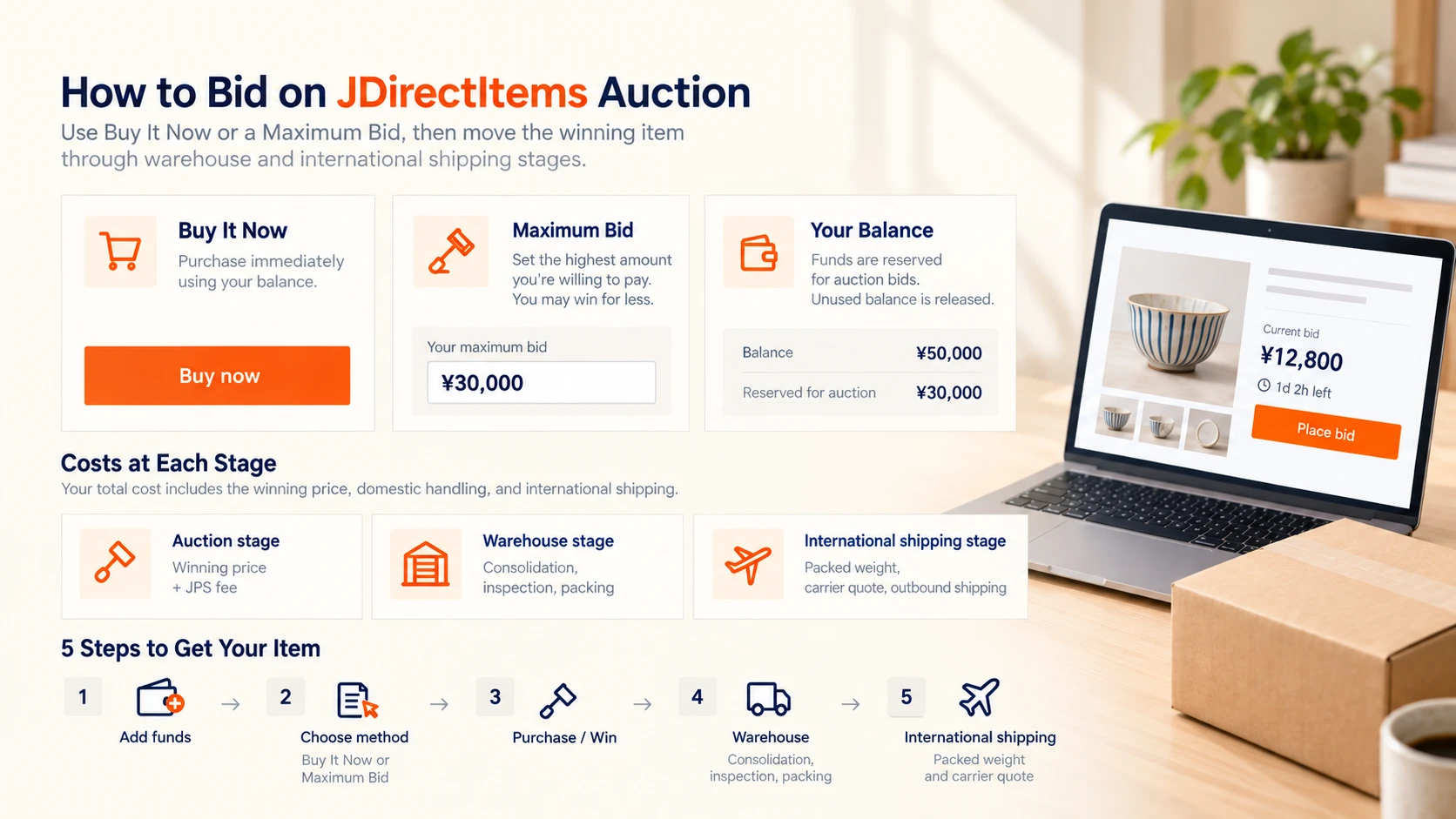
With JPS, the customer may use:
The most important number is not the current bid.
It is the maximum total amount you are willing to spend.
- Buy It Now (即決) when the listing offers an immediate purchase price
- Maximum Bid when bidding up to an authorized ceiling
Before bidding
Check:
For used goods, read the full seller description before bidding.
- exact item
- seller
- condition
- current bid
- Buy It Now price if available
- auction end time
- automatic extension
- early-end setting
- Japan domestic shipping
- seller restrictions
- return conditions
Buy It Now
If the listing offers 即決, JPS may be able to authorize immediate purchase at the stated price.
Use Buy It Now when:
Still check domestic shipping and condition before purchase.
- the price is acceptable
- the item is clearly identified
- waiting adds unnecessary sell-out risk
Maximum Bid
With Maximum Bid, the customer enters the highest amount they are willing to pay.
JPS participates in the auction process up to that amount.
The final winning price may be lower than the maximum.
Your maximum is a ceiling, not a target.
How balance reservation works
JPS may reserve funds for an active maximum bid.
Example:
Available JPS balance: ¥50,000 Maximum bid reserved: ¥30,000 Remaining available balance: ¥20,000
If the auction is won below the maximum, only the amount required under the JPS auction workflow is used and the unused reserved amount is released.
If the customer loses, the reserved amount is released.
Set the maximum from delivered cost
Do not set your maximum from the current auction price.
Start with the most you are willing to spend in total, then reserve money for:
The remaining amount is your realistic auction ceiling.
- JPS purchase fee
- Japan domestic shipping
- packing
- international shipping
- possible import charges
- condition risk
Automatic extension
Look for:
自動延長
If automatic extension is enabled, bids near the scheduled end may push the closing time later.
Do not assume the displayed timestamp is always the final end.
Check the JPS instruction cutoff
JPS may require funds and bidding instructions before the auction’s final seconds.
The interface should distinguish:
- source auction end time
- JPS instruction cutoff
- available balance
- reserved balance
Domestic shipping still matters
A winning bid is not the final Japan-side cost.
Check:
For bulky items, domestic shipping can materially change the economics of the win.
- seller-paid vs. buyer-paid shipping
- delivery method
- oversized-item freight
- remote-area charges where applicable
After winning
The order moves into the normal JPS workflow:
- final auction amount is settled
- seller ships within Japan
- item arrives at the JPS warehouse
- storage begins
- optional photos are requested if needed
- eligible orders are consolidated
- parcel is packed
- international shipping is selected
JPS warehouse and shipping terms
- Proxy purchase fee: ¥300 per purchase request
- Storage: 60 days free
- Consolidation: ¥1,000
- Photos: ¥500/item
- Packing: From ¥500
- International shipping: Actual carrier rate
- Shipping markup: ¥0
Useful auction terms
- 入札 — bid
- 即決 — Buy It Now
- 自動延長 — automatic extension
- 早期終了 — early end
- 落札 — winning bid
- 送料 — shipping
- ジャンク — junk/as-is
- 動作未確認 — operation not confirmed